See where your money goes across all your banks, sorted your way. Tab reads your bank’s payment emails and asks you on Telegram. One tap, no typing. Your own categories · Split bills over PayNow · 9pm daily recap
Needs read-only Gmail access. Tab only opens bank and payment alerts. How connecting works
Reads alerts and receipts from
Another bank? If it emails you transaction alerts, Tab will try to read them.
Every spend becomes a mystery code — arriving days later, when the memory is already gone.
Made-up examplesOther trackers wait for you to remember.
Tab catches you before you forget.
One payment, start to finish. No app to open, no spreadsheet to keep.
A card payment of SGD 5.00 was made at AH HUAT F&B on 30 Sep using your card ending 4821.
Saved in Telegram, your dashboard, and your own Google Sheet.
PayNow transfers always ask because your bank cannot tell a friend from a hawker stall.
Try the demo in Telegram first. No sign-up needed.
About a minute. Here’s every screen.
Tap a pretend payment in Telegram. No sign-up.
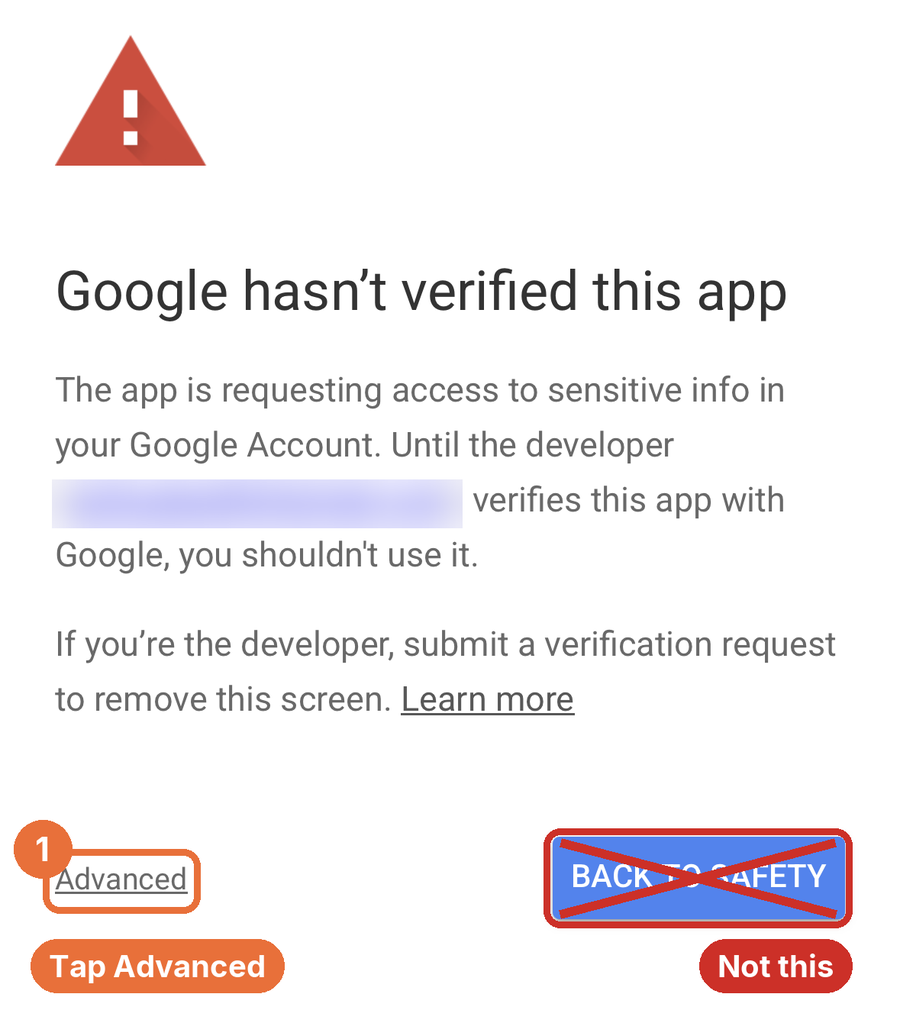
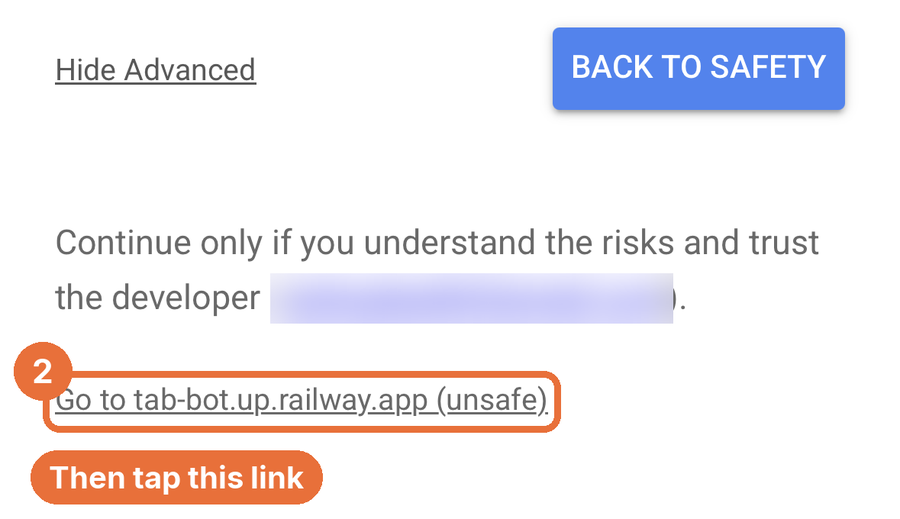
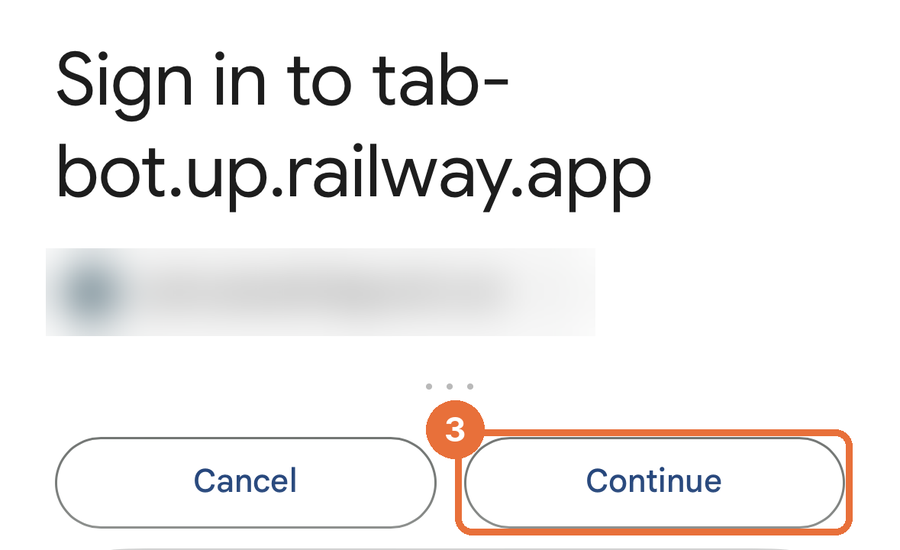
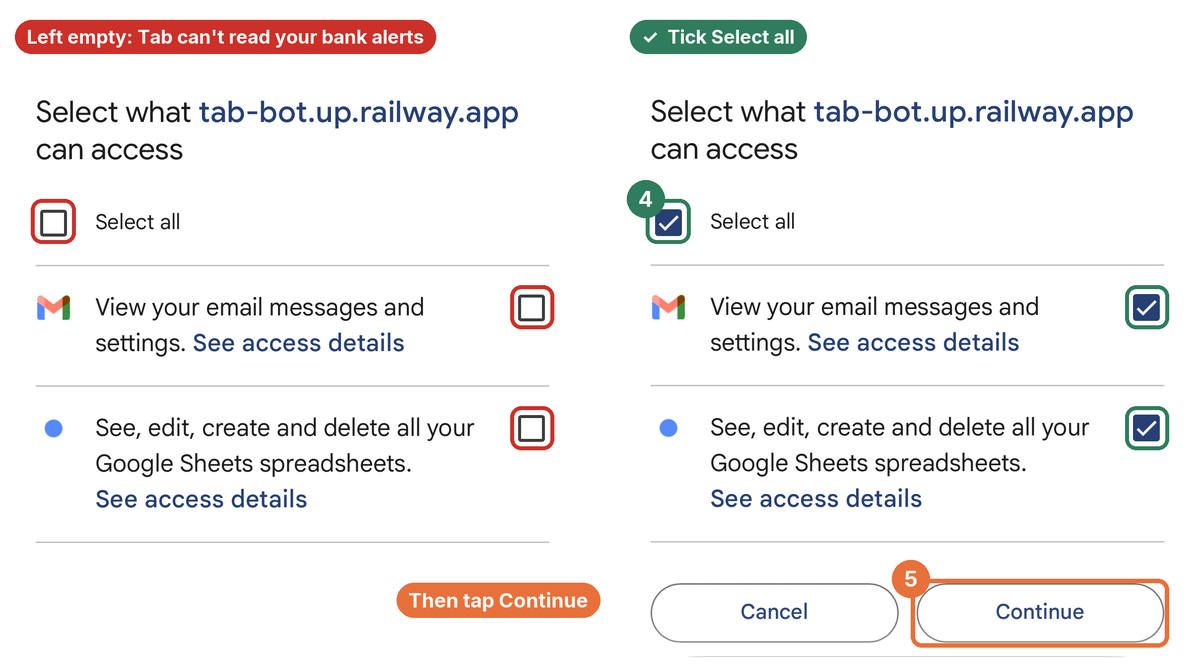
Google shows a few screens, because Tab is new:
Tap Advanced, not Back to safety.
Tap the Go to … (unsafe) link.
Tap Continue.
Tick Select all, then Continue.
Gmail access is read-only and only used for bank alerts. Sheets is only for your own spending Sheet.
Your next card payment pops up in Telegram. /disconnect any time.
Paid for the group? Two taps. Everyone gets a PayNow QR for their exact share — they scan, you’re settled. No chasing.
Every transaction mirrors to a Google Sheet in your Drive — yours to edit, export, keep forever. We never sell your spending history.
A quiet recap in Telegram every evening — and the full dashboard when you want to dig in.
Free. Try the demo first, no sign-up.
Needs read-only access to the Gmail your bank emails · OCBC, DBS, POSB, PayLah! & more
Questions first? Ask in the Tab Community on Telegram →